Connect the truck.
Plug ELD Pro into the truck’s J1939 9-pin diagnostic port or OEM RP1226 port to bring it into a connected fleet.
 Talk to our team
Move toward a coordinated feedlot with the equipment already at work. ELD Pro brings human-driven trucks into the same operational context as ALAN.
Talk ELD Pro ↗︎Connected operations don’t require every truck to be autonomous. ELD Pro gives standard feed trucks a role in the shared picture, helping people and autonomous equipment work with the same context.
The operator remains in control of the truck. The operation gains visibility into where it is and how its work fits into the day.
Plug ELD Pro into the truck’s J1939 9-pin diagnostic port or OEM RP1226 port to bring it into a connected fleet.
Make vehicle location and operational information part of the feedlot’s shared picture.
Support a more informed feeding operation across both human-driven and autonomous trucks.
Explore a sample morning across three trucks. Select a delivery, scrub through its route and weight record, or examine the feed distribution along the bunk.
Finisher 02 · 06:42:00–06:44:48
of 11,000 lb target
| Elapsed time | Recorded (lb) | Target (lb) |
|---|---|---|
| 0 seconds | 0 | 0 |
| 14 seconds | 880 | 917 |
| 28 seconds | 1,824 | 1,833 |
| 42 seconds | 2,750 | 2,750 |
| 56 seconds | 3,648 | 3,667 |
| 70 seconds | 4,601 | 4,583 |
| 84 seconds | 5,536 | 5,500 |
| 98 seconds | 6,425 | 6,417 |
| 112 seconds | 7,341 | 7,333 |
| 126 seconds | 8,249 | 8,250 |
| 140 seconds | 9,211 | 9,167 |
| 154 seconds | 10,137 | 10,083 |
| 168 seconds | 11,035 | 11,000 |
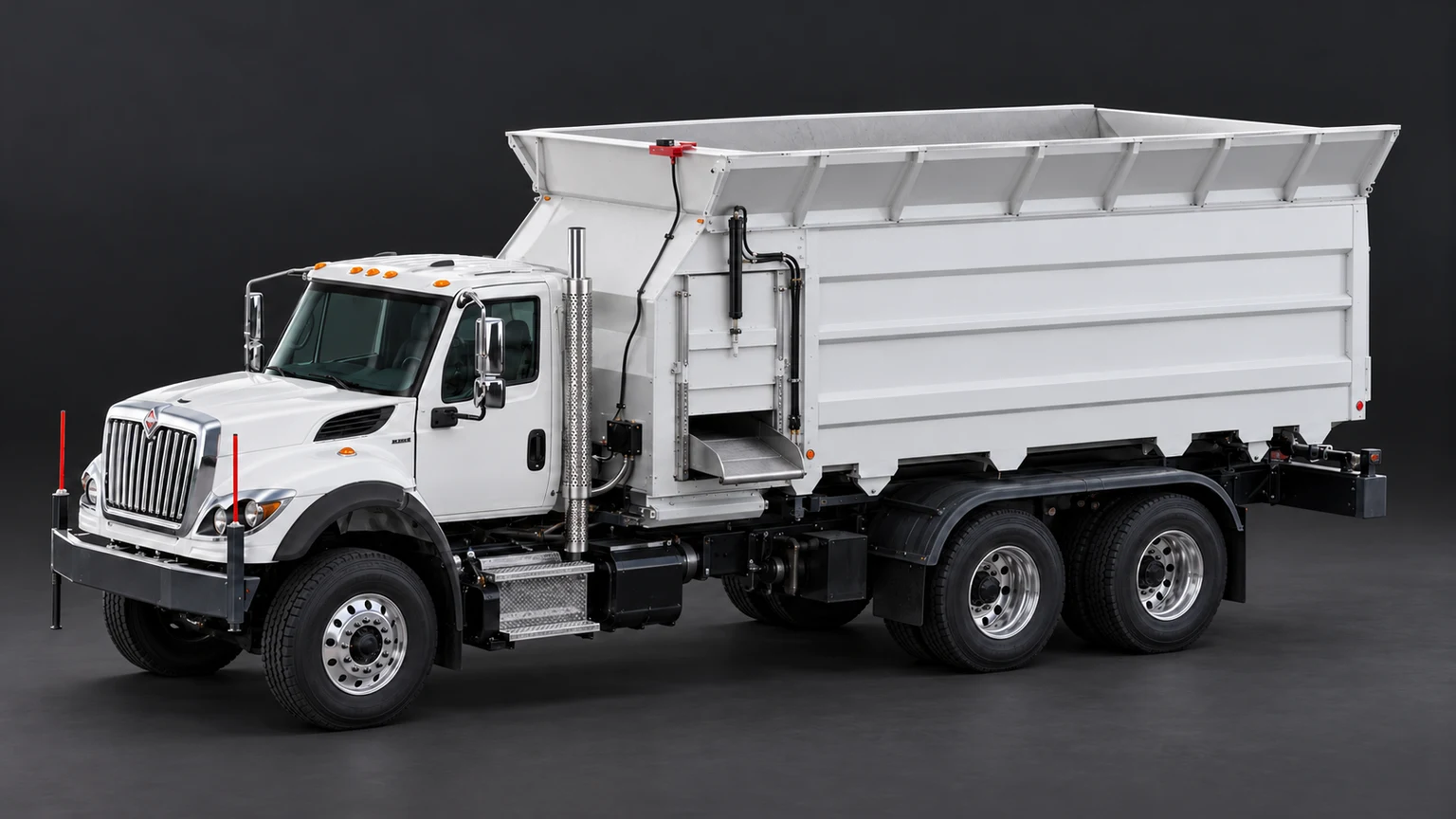
Mount the ELD anywhere on the vehicle and plug into its J1939 9-pin diagnostic port or OEM RP1226 port. Mount the antenna bracket on the front top lip of the feed box, then route the antenna cables to the ELD.
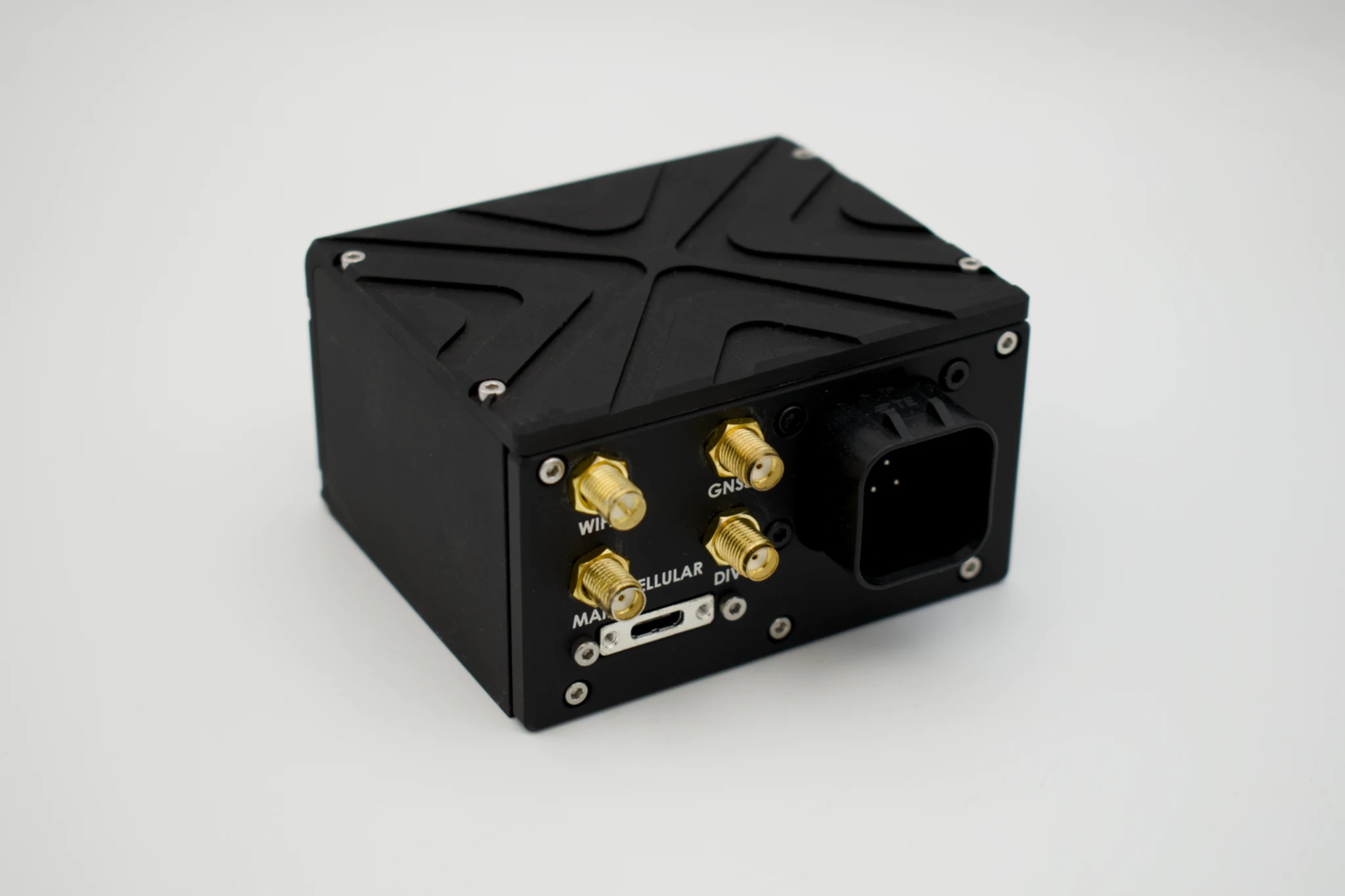
The ELD can be mounted anywhere on the vehicle. Choose the location that fits your truck, then bring the vehicle harness and antenna cables to it.
Explore two example mounting positions below.
Select an example position. The antenna bracket stays on the feed box; both cable routes follow the ELD.
 ELD
Mount the ELD behind the cab. Bring the vehicle harness back from the cab and the antenna cables down from the feed-box bracket.
Mount the ELD.
Plug into J1939 or RP1226.
Connect the antennas.
ELD Pro and antenna bracket photos show actual hardware. Vehicle connectors and trucks are illustrated. Cable routes and mounting positions are illustrative.
Whether you are connecting existing equipment or planning to introduce autonomous trucks, the next step starts with your operation.
We’ll discuss your truck mix, the information you need, and how ELD Pro can fit into the way your team feeds today.
Find the right fit ↗︎Every feedlot is different. Let’s talk about yours.
Start a conversation